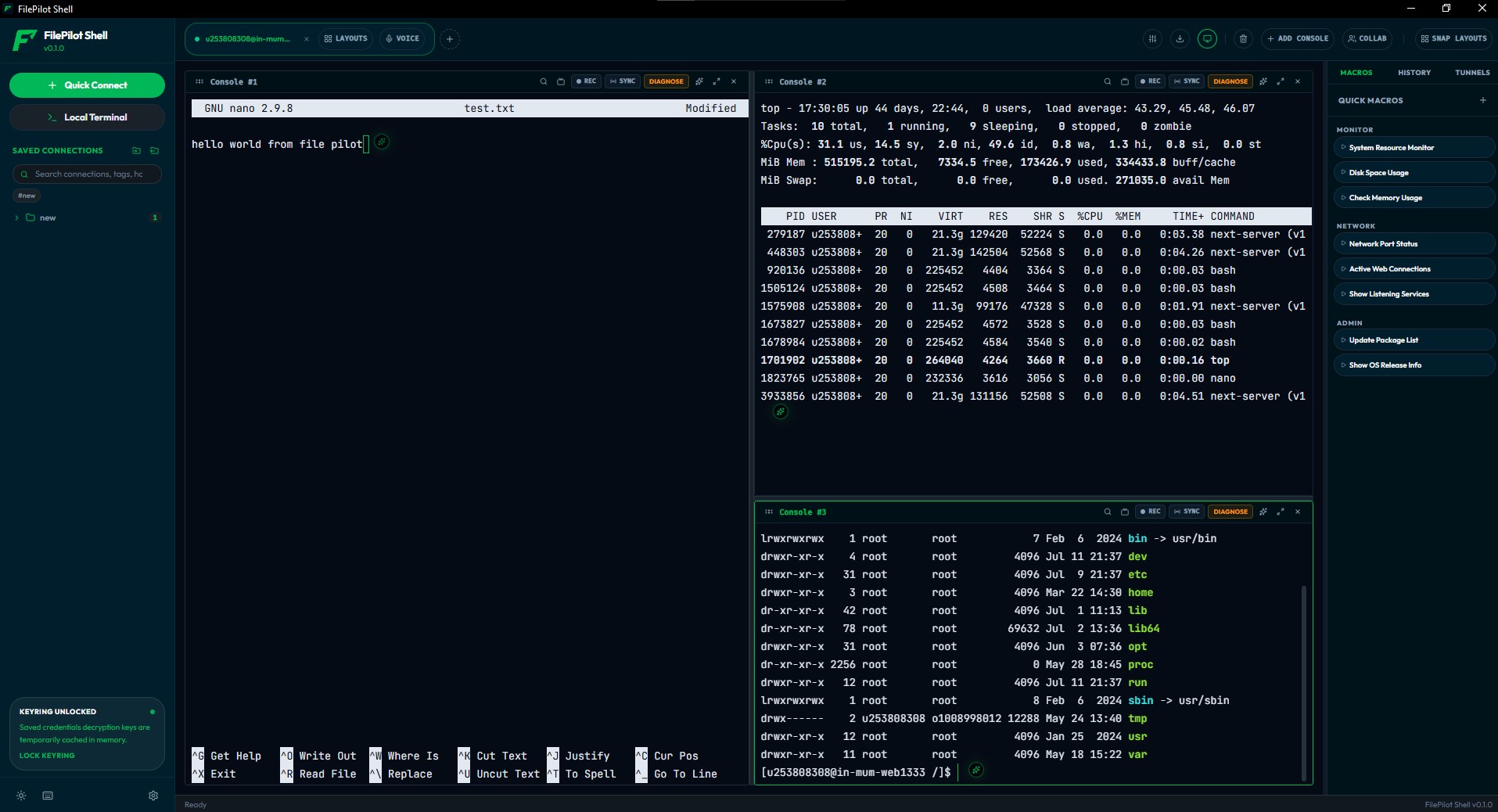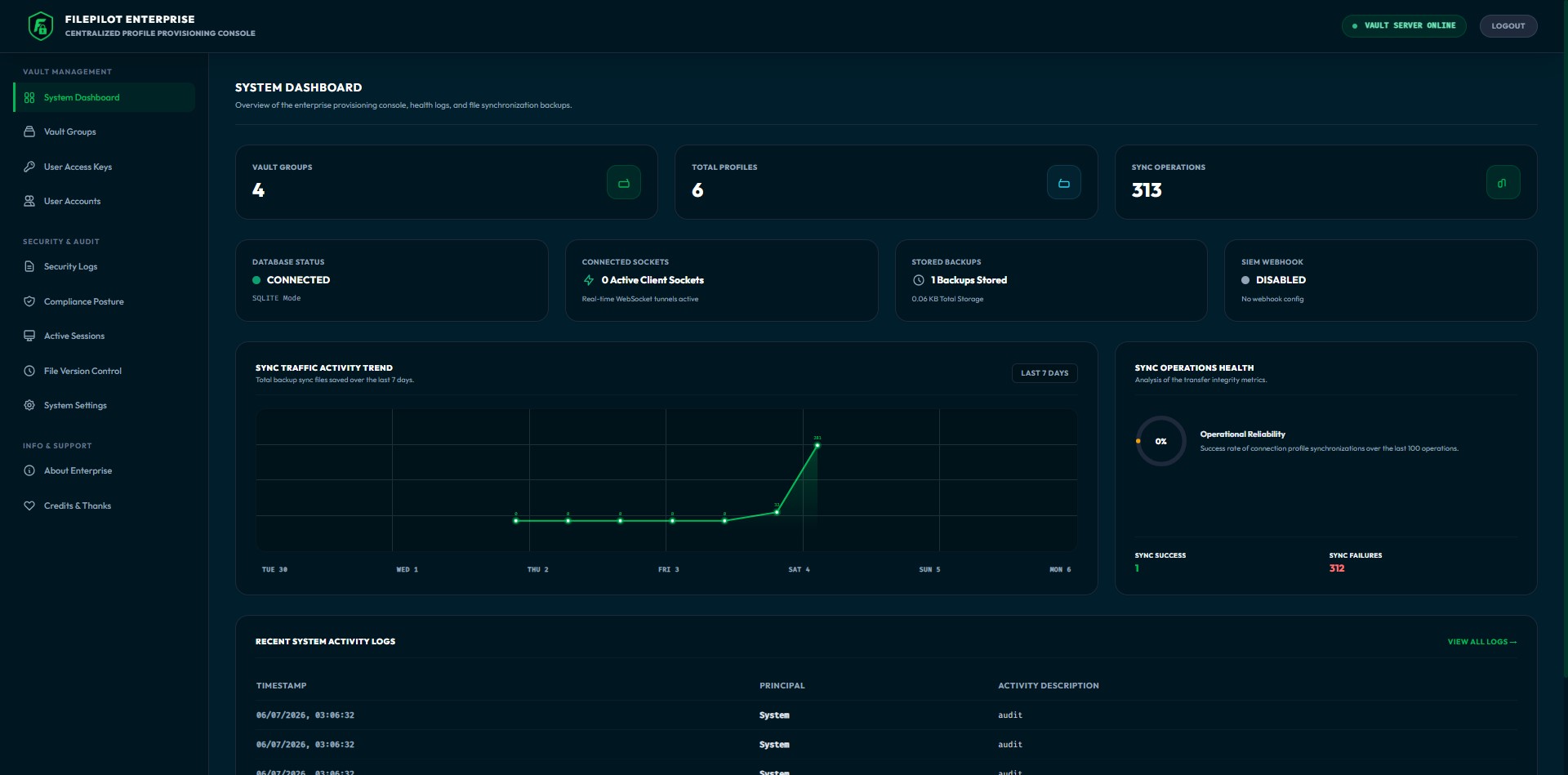
Native, high-performance developer tools for secure file transfers, multi-tab terminal splits, and centralized team access governance.
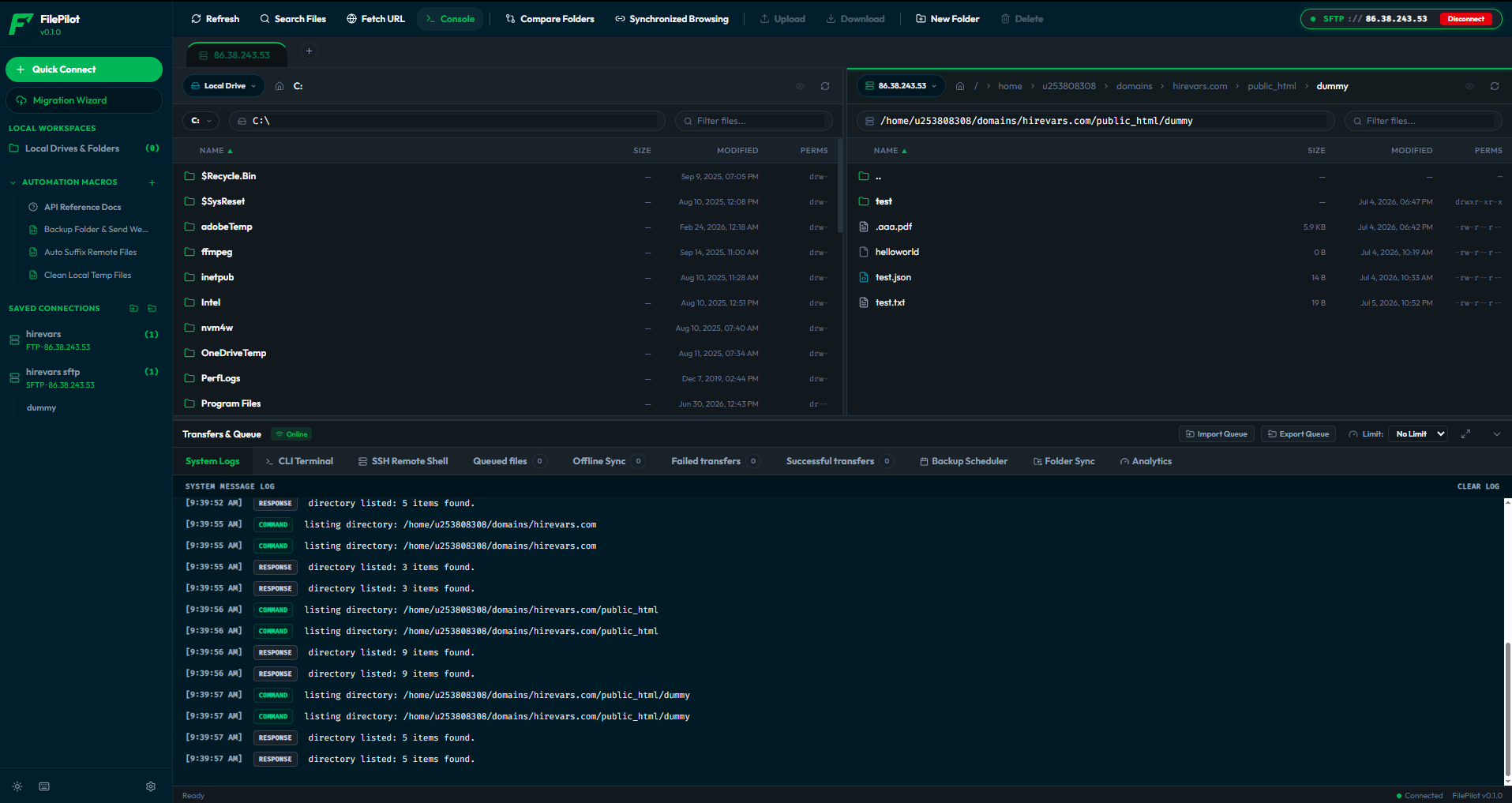
Run the standalone transfer client, accelerate your command line with our multi-tab terminal, or deploy the central vault to enforce access control across your organization.
Connect to your servers and move files between your computer and the cloud — all in one fast, native window. Your passwords stay locked on your own device.
A premium, lightning-fast multi-tab terminal emulator built with Rust and Tauri. Manage local and remote SSH sessions with built-in sync and automation.
Give your team access to servers without ever sharing passwords. Decide who can reach what, and keep a tamper-proof log of every action.
SFTP, FTP, S3, WebDAV, local PTY shells, and remote SSH terminal connections — all managed from a single secure system.
Secure Shell transfers with password or SSH key-pair auth, SOCKS proxies, and jump-host chaining.
Standard FTP with active and passive modes — works through firewalls and NAT without extra setup.
Spawn native PowerShell, CMD, bash, or zsh sessions inside tab splits with deferred Nerd font ligature rendering.
Open multiple remote terminal sessions simultaneously, broadcast inputs in real-time, and route through SSH jump hosts.
Browse buckets like a filesystem — regions, custom endpoints (MinIO/Ceph), multipart transfers.
Nextcloud, ownCloud, NAS devices, and any HTTP-based file server with full read/write access.
First-class Google Drive, Dropbox, OneDrive, and Azure Blob support in the same dual pane.
Tunnel through SOCKS5 or HTTP proxies, or chain SSH bastions to reach private networks.
Need something else? Build your own protocol handler with the SDK and register it as native.
One tool that fits the developer at their desk and the security team that has to sign off on it.
Manage transfers and terminal splits in one unified workspace, automate routines with JavaScript macros, and orchestrate environments natively.
Zero-knowledge credential sealing, tamper-evident SHA-256 audit chains, and IP allowlists that stand up to the strictest security review.
Provision connection profiles centrally, rotate keys, and revoke access in real time — every engineer stays in sync from a single vault.
How your team gets access to servers — without a password ever changing hands.
An admin defines connection profiles in the Vault. Secrets are wrapped with your cloud KMS (AWS, Azure, GCP, or HashiCorp) and never stored in plaintext.
The client redeems a scoped access token over a TLS WebSocket. Profiles are decrypted in-memory and re-sealed into the local encrypted database.
Every transfer or terminal action runs directly against target servers. Each operation streams back to a tamper-evident SHA-256 audit chain.
Legacy file transfer clients and terminal tools were built for a different decade. Here is how FilePilot integrates transfers, command lines, and governance into modern developer workflows.
| Feature Evaluation Criteria | FilePilot (Client + Vault) | FileZilla Client | WinSCP |
|---|---|---|---|
| Memory Safety & Backend | Rust / Tauri (Low Overhead) | C++ | C++ |
| Credential Security at Rest | Zero-knowledge sealed vault (AES-256-GCM) | Plaintext XML / Base64 optionally master pass | Windows Registry obfuscation |
| Centralized Provisioning | Yes, token-scoped Enterprise Vault Sync | No (Manual XML imports only) | No (Manual config imports only) |
| Audit Integrity | Yes, tamper-evident SHA-256 blockchain chain | No (Local plaintext logs only) | No (Local plaintext logs only) |
| Built-in CLI & SSH | Yes, local shell + remote SSH terminal panes | No | No (Launches external PuTTY only) |
| Automation Scripting | Yes, JavaScript macro sandbox API | No (Failsafe CLI queues only) | Yes (VBScript/CMD scripting only) |
| WebSocket Events Sync | Yes, instant remote token blocking / updates | No | No |
| Version Control Backups | Yes, file reversion snapshots in Vault | No | No |
Both FilePilot standalone tools (Client & Shell) and the Enterprise Vault are licensed under the permissive **MIT License**. There are no locked features, no premium tiers, no tracking telemetry, and no ad trackers.
All code is audited on GitHub and runs completely locally or on your private infrastructure.
Download our native desktop apps for free today. Add the Enterprise Vault later when you need to sync configurations and audit access for your team.